Your Steam Deck's plugin hub,
right inside Gaming Mode.
Discover, download and update Decky Loader plugins with your controller. No Desktop Mode, no hunting through GitHub releases, no zip juggling.
Latest release: v3.2.1, November 5, 2026 · Release notes




Why you'll like it
Built for the couch: every screen works with the gamepad, and nothing touches your system until you say so.
Never miss an update
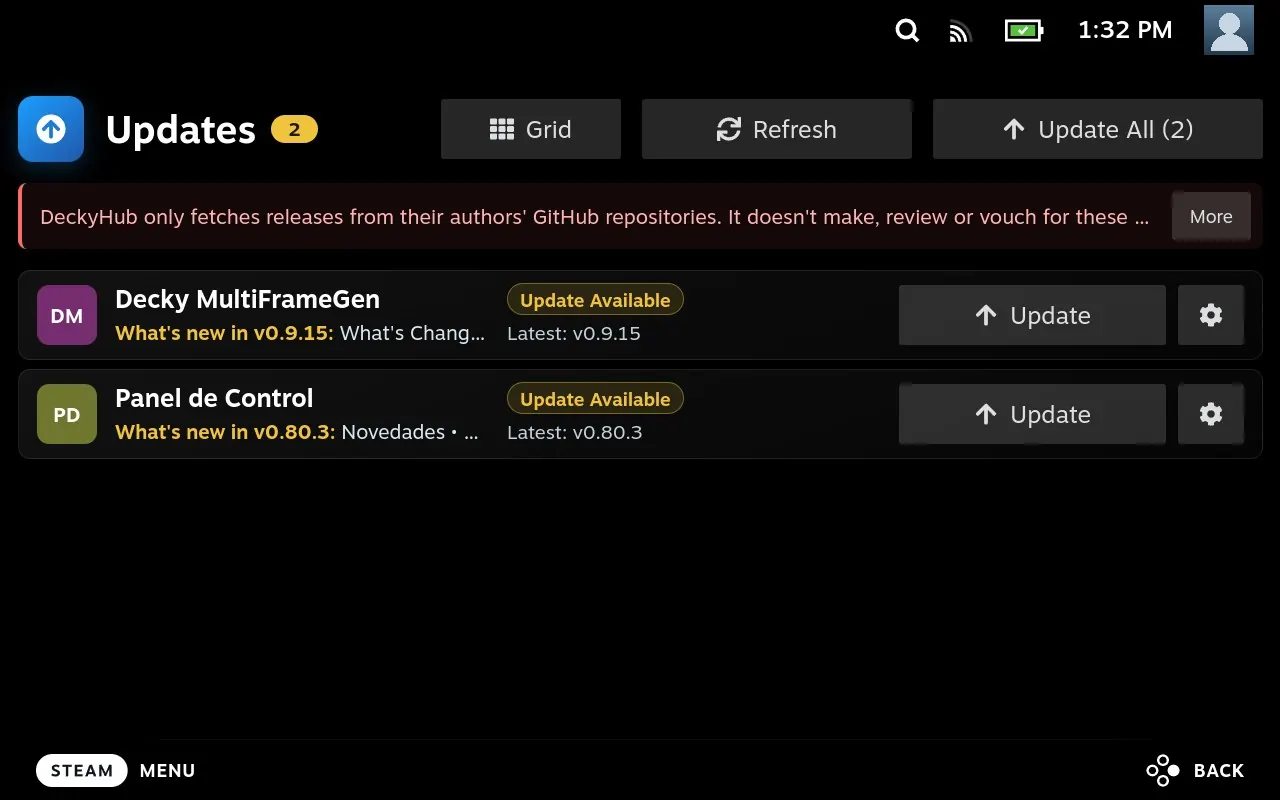
DeckyHub checks your installed plugins against their latest GitHub releases every few hours and pings you with a toast when something new drops.
Discover new tools
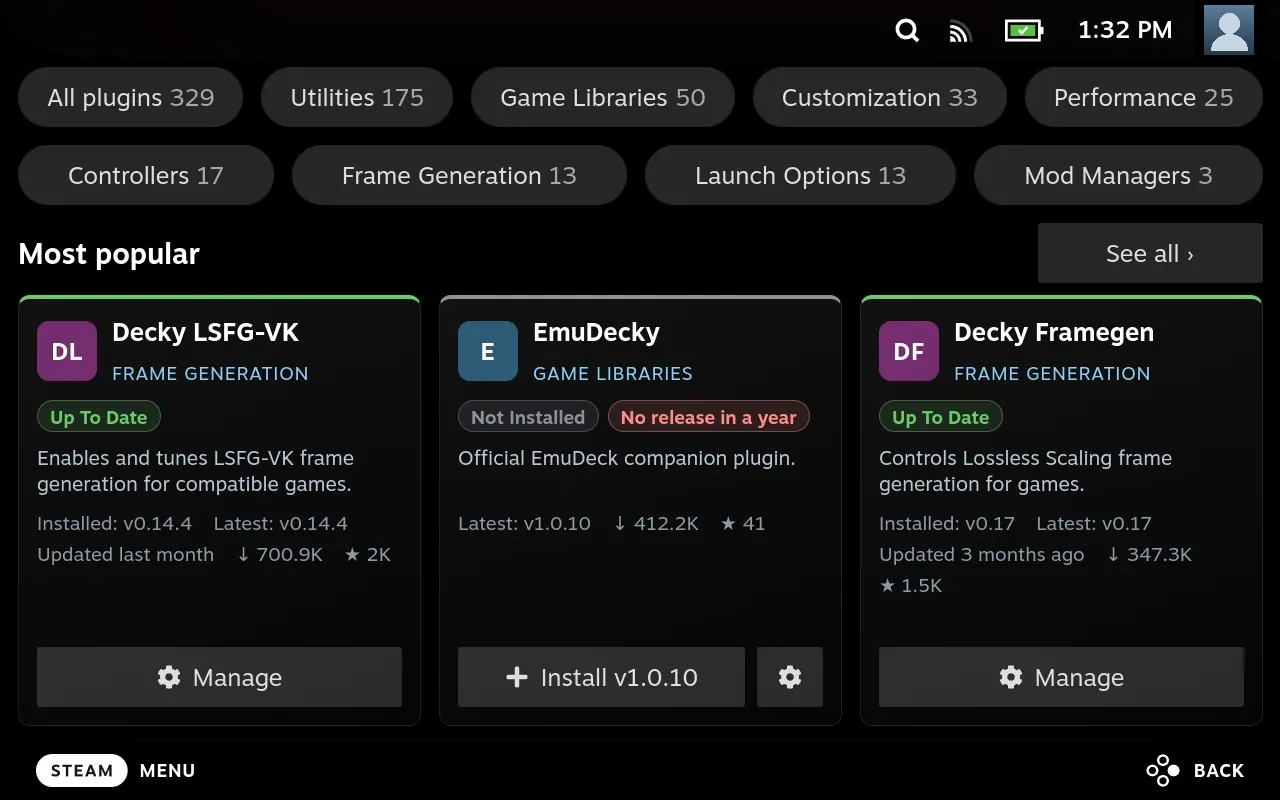
A catalog of over 500 Steam Deck plugins, filterable by status and color-coded so you spot what needs attention at a glance.
Controller first
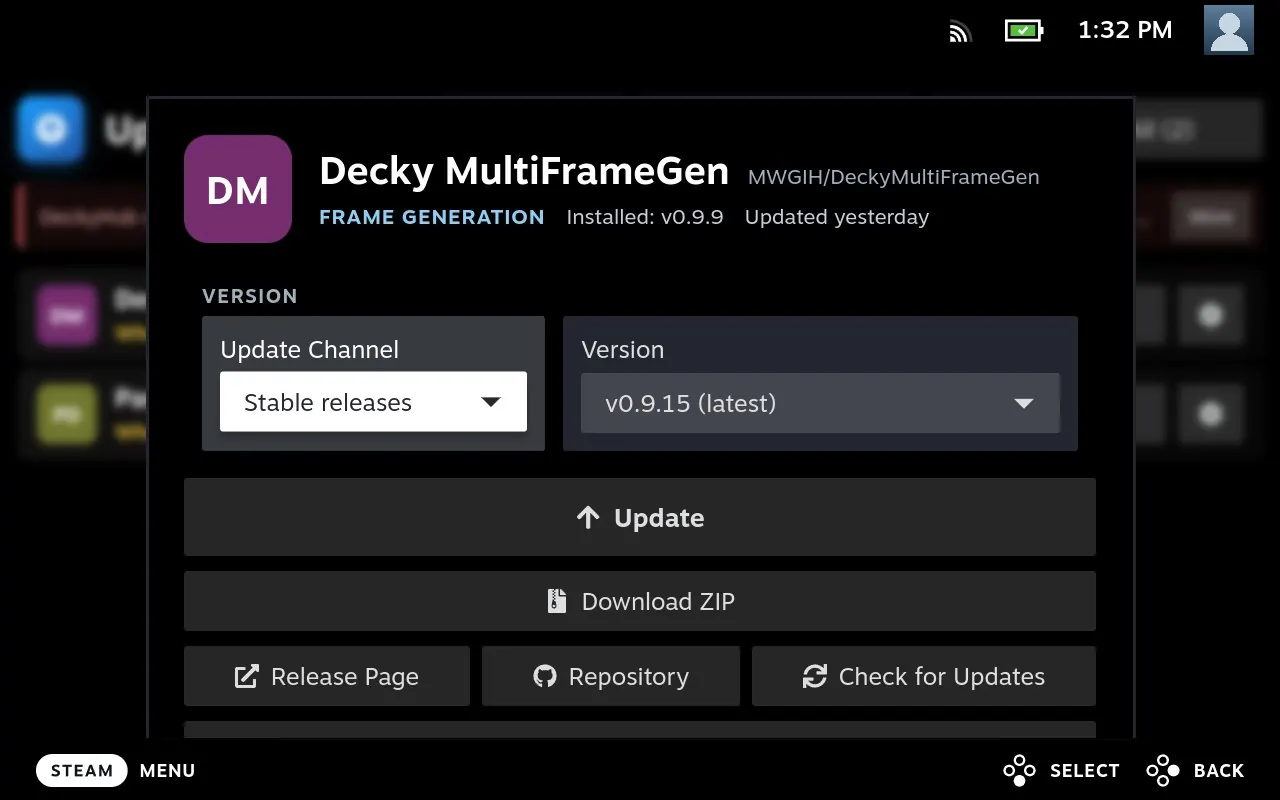
Full gamepad navigation and one-tap actions designed for Gaming Mode, not a desktop page squeezed onto a small screen. On any Install or Update button, Y shows the release notes, X downloads the ZIP instead, and Menu opens the plugin's GitHub page.
You stay in control
Installs go through Decky Loader's own installer and confirmation dialog, with SHA-256 checksums verified whenever GitHub publishes one. Nothing runs on its own.
Search & Install
Not in the catalog? Search GitHub for any Decky plugin and install it on the spot, or add it to track its updates. Pick stable or pre-release per app, and export your list to share or back up.
Updates itself
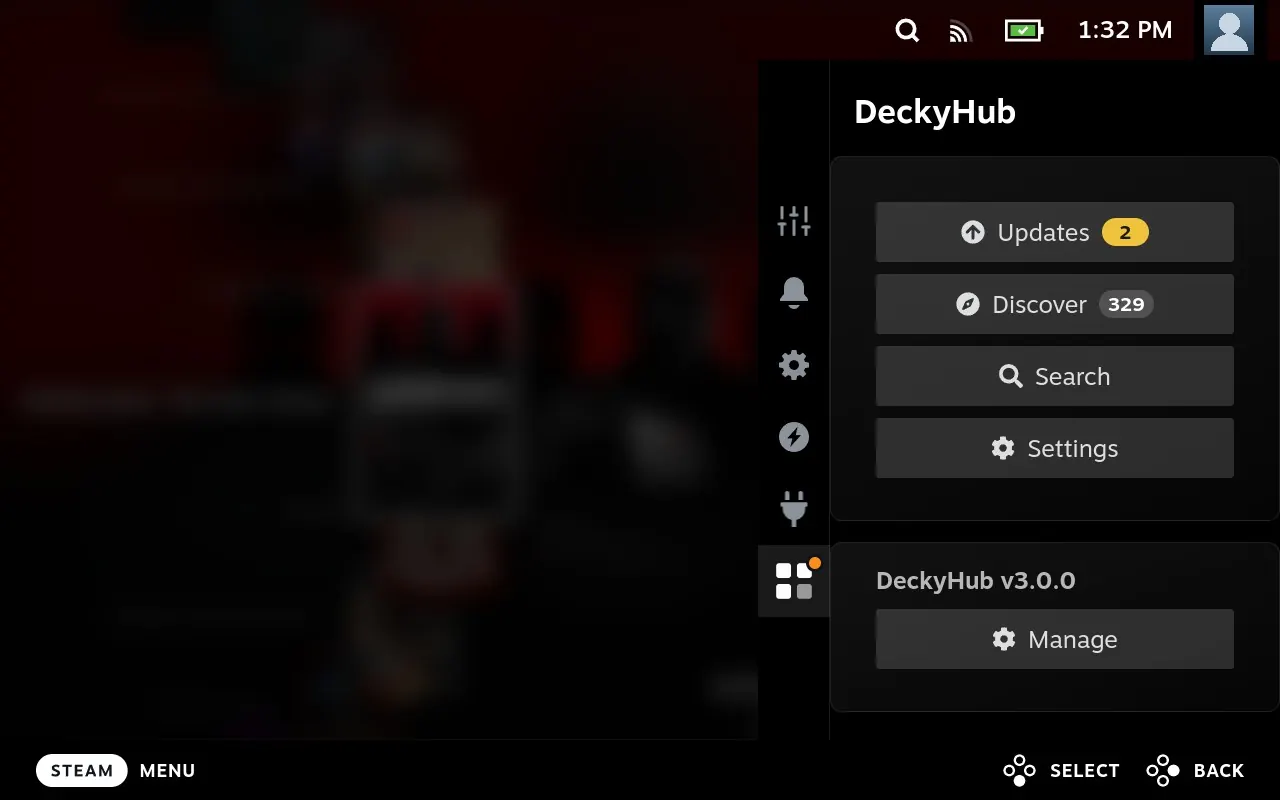
The Quick Access Menu tells you when a new DeckyHub release is out and updates it in place. You can also reinstall or downgrade to any recent version.
Take the tour
Four screens, all reachable from the Quick Access Menu.
Install in a minute
Two ways: the Desktop installer (easiest: one download sets up Decky Loader if needed and DeckyHub; it asks for your admin password) or a manual ZIP (no password; Decky Loader must already be installed).
Option 1: Desktop installer (recommended)
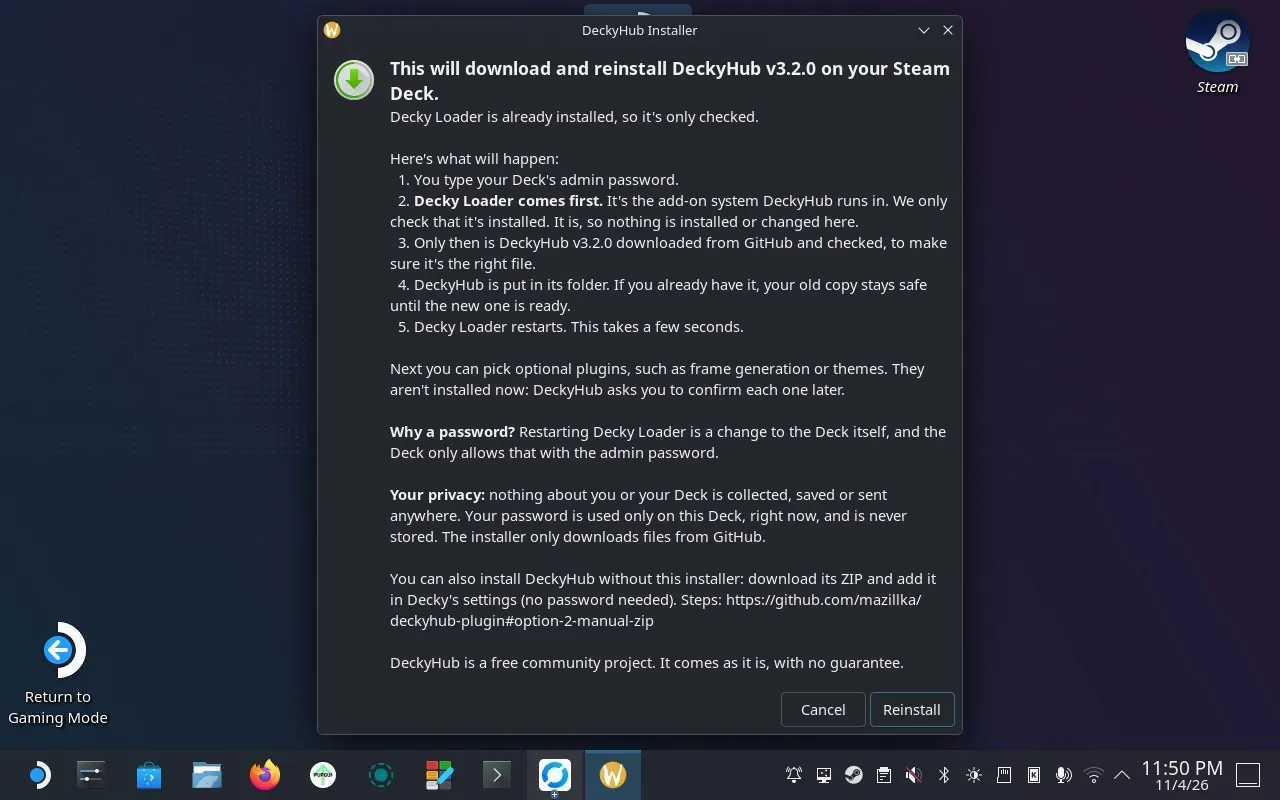
One file installs both Decky Loader and DeckyHub: it checks for Decky Loader first and installs it if it's missing, then installs DeckyHub. Fewer steps and commands than installing Decky Loader on its own.
- Switch to Desktop Mode (Steam → Power → Switch to Desktop).
- Download
Install-DeckyHub.desktop. - The shortcut has to be on the Desktop. Move the file there: open Downloads in Dolphin and drag
Install-DeckyHub.desktoponto the Desktop (or cut and paste it). If your browser saved it asInstall-DeckyHub.desktop.download(Firefox does that for shortcut files), rename it toInstall-DeckyHub.desktopfirst. Or skip steps 2 and 3: open Konsole and runcurl -fsSL -o ~/Desktop/Install-DeckyHub.desktop https://github.com/mazillka/deckyhub-plugin/releases/latest/download/Install-DeckyHub.desktop && chmod +x ~/Desktop/Install-DeckyHub.desktop, which saves it on the Desktop under the right name. - Double-click Install DeckyHub on the Desktop and choose Continue (or Execute) when asked.
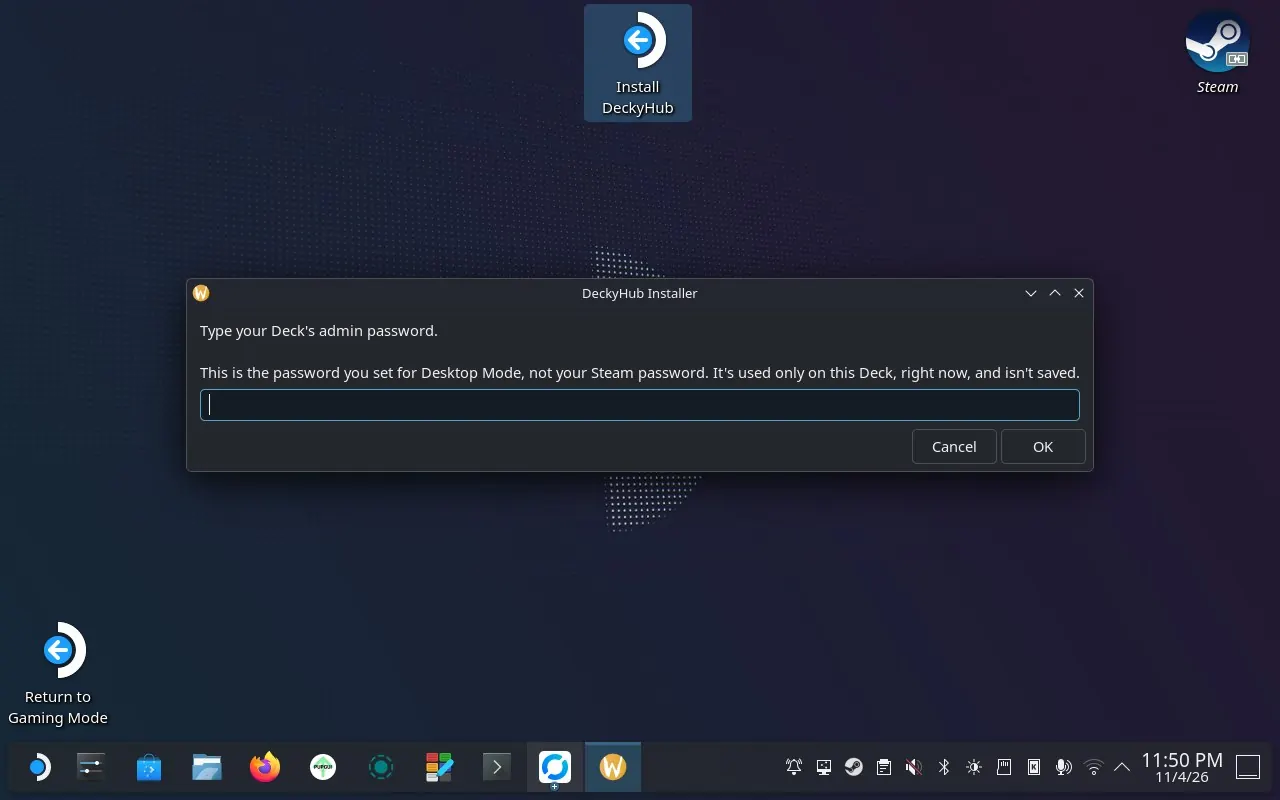
- Read the overview. It lists every step, with Decky Loader first (checked, or installed if it's missing) and DeckyHub only after it, and says why the admin password is needed. Then choose Install (or Update or Reinstall, when DeckyHub is already there). The installer doesn't collect, save or send any information about you or your Deck; it only downloads files from GitHub. It checks that GitHub is reachable, then asks for your Deck's admin password (the one you set for Desktop Mode, not your Steam password). If you've never set one, it offers a temporary one and removes it when it's done, like Decky Loader's own installer.
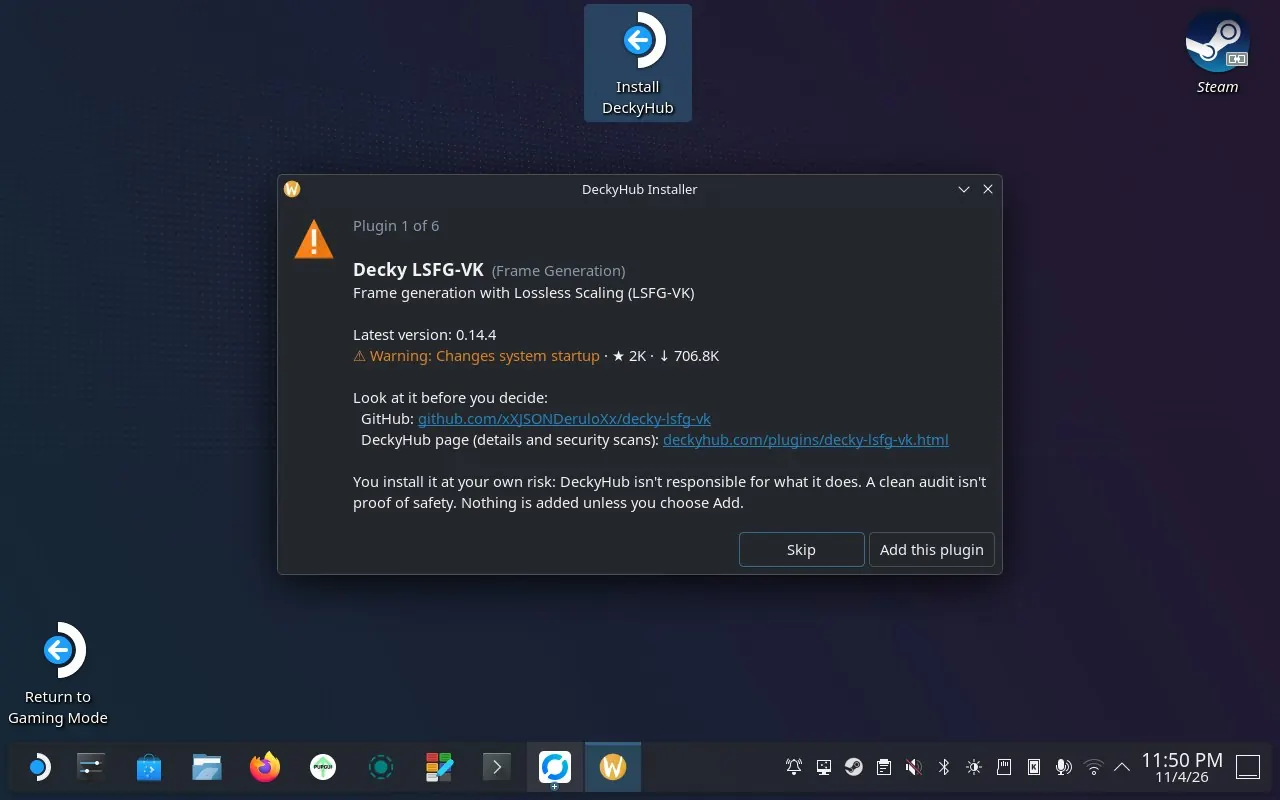
- Optionally look at a few hand-picked plugins, one at a time: skip is the default, and you add plugins at your own risk (see "Optional plugins" below).
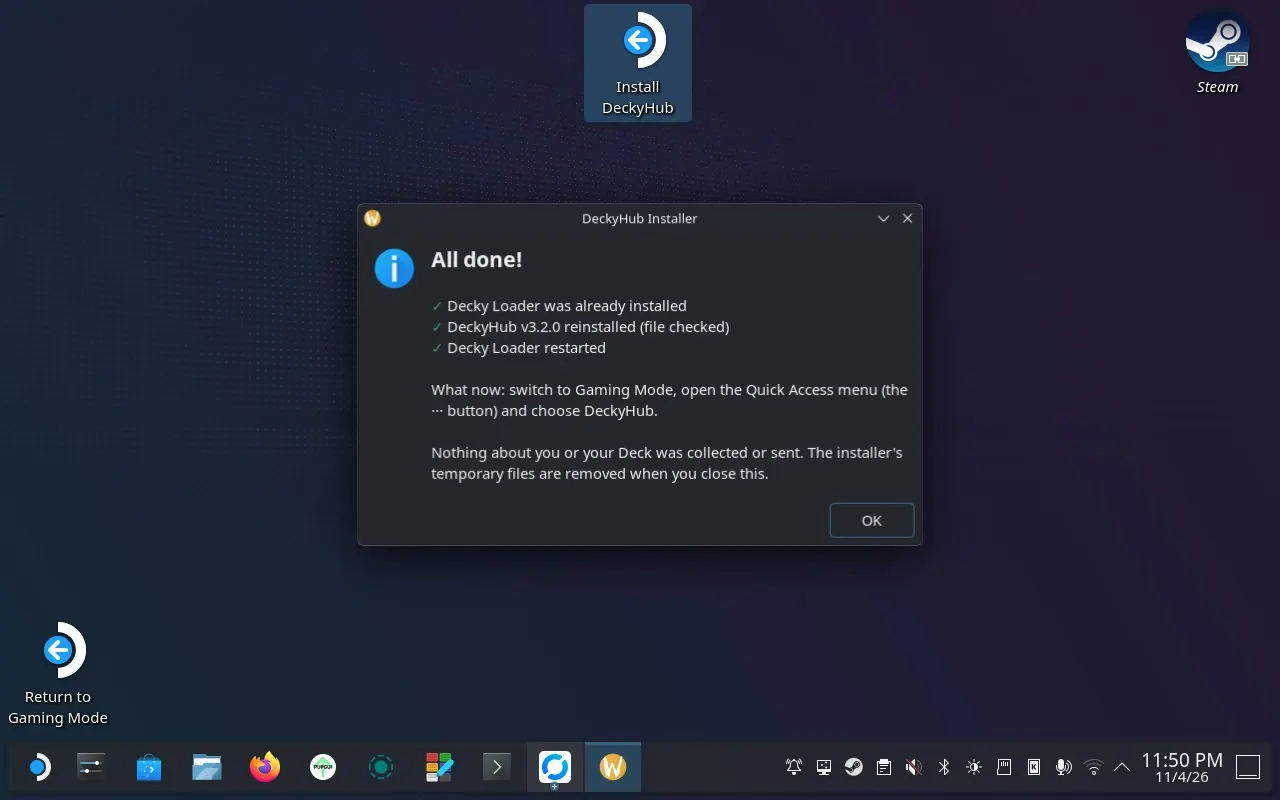
- Follow the progress window ("Step 3 of 5: …") until the finish message lists what was done and what to do next. If it reports an error, follow the instructions in the message.
- Return to Gaming Mode and pick DeckyHub's four-square icon in the Quick Access Menu.
Option 2: Manual ZIP
Requires Decky Loader to be installed.
- Download the latest
DeckyHub-v*.zipfrom the Releases page. - In Gaming Mode, open the Quick Access Menu → Decky → settings (gear icon). Turn on Developer mode under General if it's off, then go to Developer → Install Plugin from ZIP and select the downloaded file.
- Pick DeckyHub's four-square icon in the Quick Access Menu (or Decky → DeckyHub).
Alternatively, choose Developer → Install Plugin from URL and enter https://github.com/mazillka/deckyhub-plugin/releases/latest/download/DeckyHub.zip. Full install guide
Popular plugins
These show up in Discover the moment you install DeckyHub, and new ones arrive without a DeckyHub update. They're suggested by users or found through the community catalogs Decky Extended Plugins and Decky Plugins Explorer or by the registry's own GitHub search, and each one is checked for a working release before it's added. Find anything else with Search.
Enables and tunes LSFG-VK frame generation for compatible games.
⚠ Warning✓ Scanned Game LibrariesEmuDeckyOfficial EmuDeck companion plugin.
⚠ Warning✓ Scanned Frame GenerationDecky FramegenControls Lossless Scaling frame generation for games.
✓ Scanned PerformanceSimpleDeckyTDPControls TDP, GPU clocks and other hardware settings on PC handhelds.
⚠ Root⚠ Warning✓ Scanned Game LibrariesUnifideckLaunch and manage non-Steam game libraries.
⚠ Warning✓ Scanned UtilitiesGame SyncCloud saves and mods for games, a fork of Decky Cloud Save.
⚠ Warning✓ Scanned PerformancePanel de ControlAll-in-one handheld control center: power, fans, battery, display, HUD and Steam themes.
⚠ Root⚠ Warning✓ Scanned Frame GenerationMAKO DeckyBoosts frame rates with Lossless Scaling frame generation.
✦ AI✓ Scanned Launch OptionsCheatDeckRuns games with cheats and trainers through launch options.
✓ Scanned Launch OptionsDecky Proton LaunchSet Proton versions and launch options per game.
⚠ Warning✓ Scanned UtilitiesBazzite BuddyView release notes for Bazzite.
⚠ Warning✓ Scanned UtilitiesSDH-LudusaviDecky Loader controls for Ludusavi save backups and restores.
✦ AI⚠ Warning✓ ScannedGood to know
Does DeckyHub install things automatically?
Never. Download ZIP just saves a file to /home/deck/Downloads/deckyhub. One-tap Install, Update and Uninstall go through Decky Loader's own installer, which asks you to confirm first.
I hit a GitHub rate limit. What now?
Plugins from DeckyHub's list don't count: their release info comes from one file the registry refreshes every hour. Search and repositories you added yourself still ask GitHub, which allows 60 requests per hour without a login. Add a personal access token (no scopes needed) in Settings → GitHub to raise that to 5,000. The token stays on your Deck and is only sent to api.github.com.
Why doesn't a new release show up right away?
Release info is cached for 30 minutes, and the plugin list's release file is refreshed every hour, so a brand-new release can take up to an hour to appear. "Check for Updates" and "Refresh" skip DeckyHub's own cache.
Where does the plugin list come from?
From mazillka/deckyhub-registry. Its plugins are suggested by users or found through two community catalogs, Decky Extended Plugins by beallio and Decky Plugins Explorer by SafetZahirovic, plus the registry's own search of GitHub, which a daily job checks for new ones, skipping plugins that look unfinished. Every addition needs a stable GitHub release with a plugin ZIP and is reviewed by a person before it's listed, though not reviewed for safety; Discover shows the warnings from Decky Extended Plugins' security audit beside each plugin. DeckyHub downloads the list at startup and keeps the last copy for offline use, so a fresh install needs to reach GitHub once. You can also add other people's lists under Settings → Repositories → Custom Registries.
How is DeckyHub made?
Most of the code was written with the help of AI tools (Claude and Codex). Every release is still tested on real Steam Deck hardware before it ships.